Blurry faces
Faces that have gone soft.
Scans, camera shake, and low resolution make faces fuzzy first. Elixa rebuilds visible clarity while keeping the original facial features — the person should still look like themselves.
Old photo restoration guide
A plain-language guide to the four most common kinds of old-photo damage — blurry faces, faded color, yellowed prints, and scratches — plus how to bring black-and-white photos back in color, using Elixa.
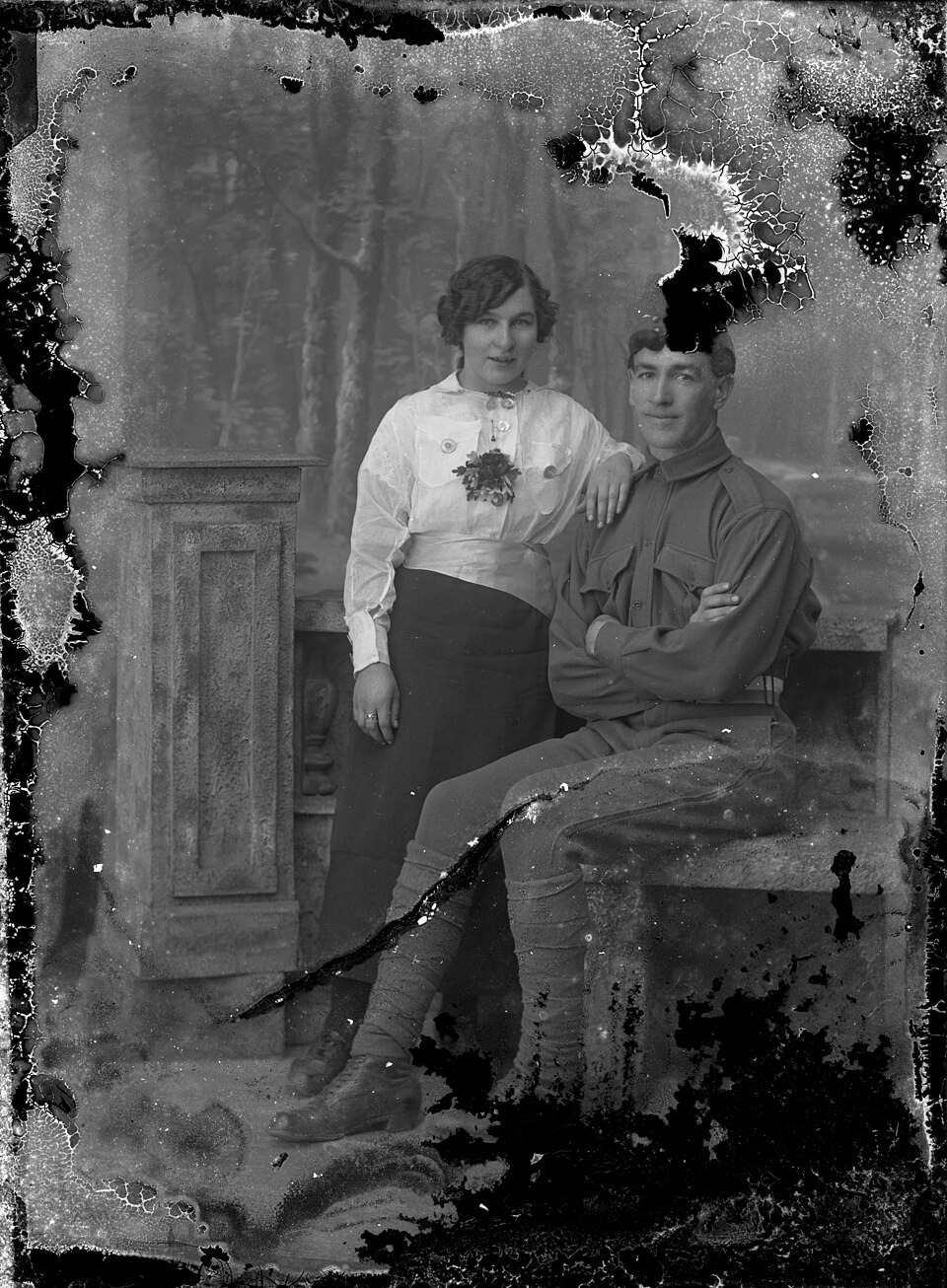 Before
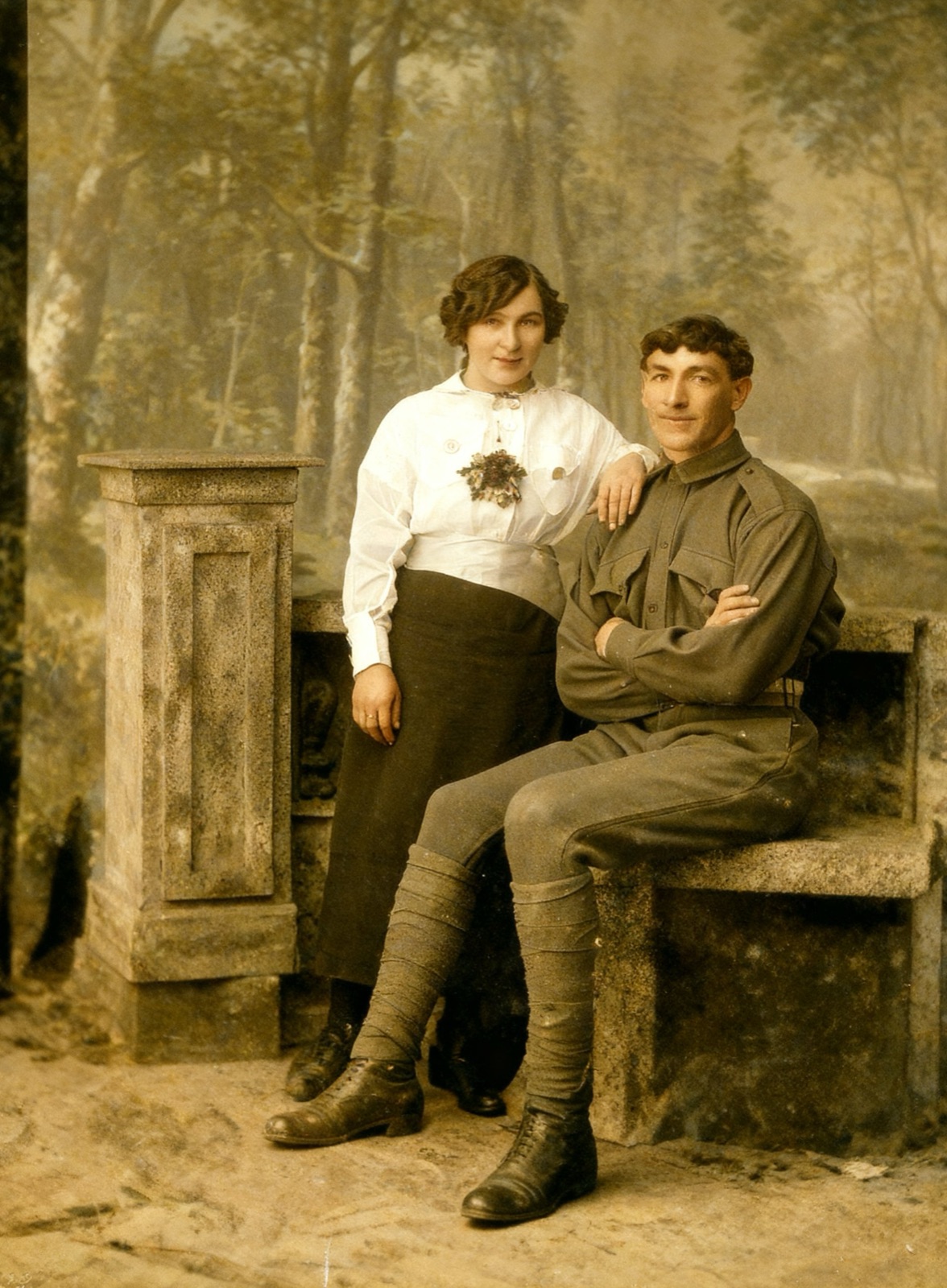 After
A real Elixa restoration: a glass-plate photo with most of its surface destroyed comes back as a complete color photograph — same faces, same moment. No stock imagery.
Old photos rarely fail in just one way. Match the damage below to what you see, and Elixa’s restoration tool handles all of them in one pass.
Blurry faces
Scans, camera shake, and low resolution make faces fuzzy first. Elixa rebuilds visible clarity while keeping the original facial features — the person should still look like themselves.
Faded color
Print dyes fade unevenly, leaving pale skin and gray skies. Restoration rebalances tones toward a natural look instead of oversaturating everything.
Yellowed prints
Album pages and decades of storage tint the whole photo. Restoration removes the cast while keeping the period feel of the original photograph.
Scratches and damage
Physical damage is repaired from the surrounding image. Heavily destroyed regions may be estimated rather than historically exact — we say so up front.
Black-and-white photos
Elixa restores black-and-white originals and can colorize them with natural-looking tones. Colors are an interpretation of the era, applied on top of a faithful restoration.
Mixed damage
Blur plus scratches plus fading is the normal case for really old prints. Elixa’s restoration treats the photo as a whole — one tap, then review the result.
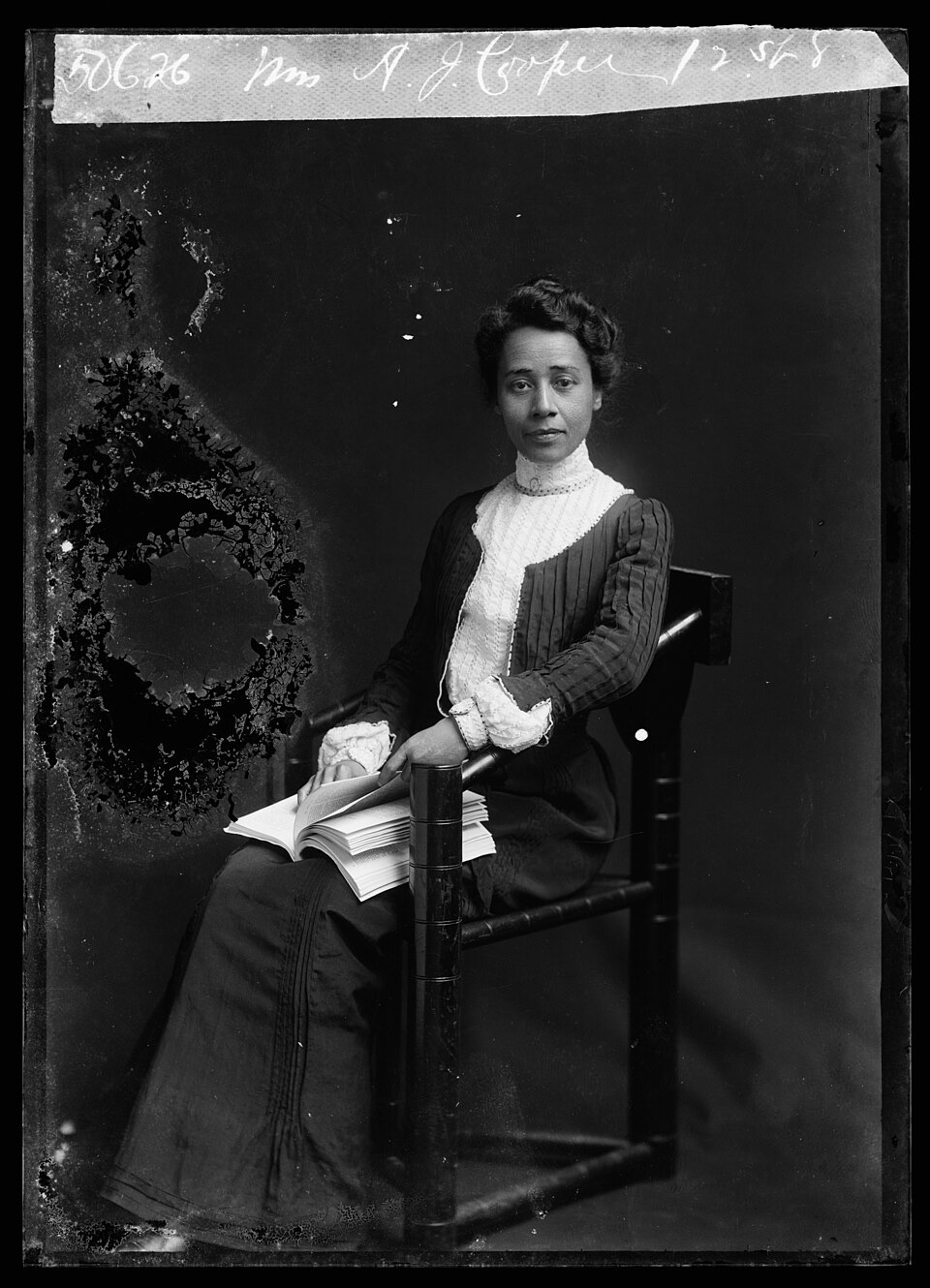 Before
 After
Half the plate was peeling away. Elixa rebuilt the damaged area and kept the handwritten studio label untouched — the face stays the same person.
Honest limits, before you start
Honest limits, before you start
Honest limits, before you start
Install Elixa, open the Restore tool, pick the photo, and review the result before saving. New users get 15 free credits, so you can try it before paying anything.
Yes. Elixa restores black-and-white originals and adds natural-looking color on top. The colors are a plausible interpretation of the era, not a record of the true original colors.
Elixa is designed to keep the original faces and expressions. Very heavy damage in the face area may be estimated from the surrounding image.
The app is free to download and new users get 15 free credits. A subscription provides 120 credits per 30 days (US$9.99/month reference pricing). Prices vary by storefront; the App Store listing is the source of truth.
No. Elixa restores and edits the photos you choose — it does not scan, organize, or back up albums. That keeps the app focused on restoration quality.
Elixa for iPhone
Free download, 15 free credits, no account required on this site.